
Vincent Cheung

Vincent Cheung's Blog


« Newer Posts Home Older Posts »

Wednesday, October 19, 2005

RSS is key – c’mon, everyone’s doing it, why aren't you?

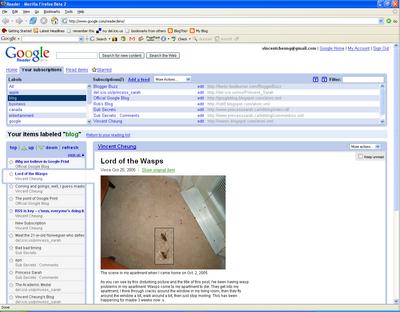
The punchline: if you read the news on the Internet and/or follow blogs, RSS can save you a lot of time. Check out Google Reader.

RSS is the little orange icon in the address bar or in the bottom right corner of your web browser if you’re using a good one, such as Firefox. Basically, RSS lets you grab headlines and articles from webpages, without having to go to the webpage. Then, you can go and view the headlines in a similar fashion as you read your e-mails.

While this doesn’t seem mind-blowing (it didn’t for me when I first heard about it), it’s a godsend for quickly scanning for new articles and blogs. I just blogged about Digg and Slashdot. Wouldn’t it be great if you could just get the articles from both sites without having to actually go and load up both web sites and then you have to sort out which ones you’re read and ones you haven’t? Well, RSS does this for you. You can get the feed from these sites and load them up in a RSS reader.

Do you read blogs? Well, you’re obviously reading mine. Do you read more than one blog? Don’t you hate having to check each blog individually only to find out that most of them haven’t updated since you last checked? Wouldn’t it be great if you could just go to one place and instantly see all the new blogs that your friends have made? RSS does this.

I hope you’re intrigued by this point. So, how do you actually get all this RSS stuff to work for you? My RSS reader of choice at the moment is Google Reader. Just login using your Google account (same as your GMail account, btw if you want a GMail account, just let me know), and you can search for feeds and subscribe to them.

If you want to say, subscribe to my blog, just add my feed: http://veenix.blogspot.com/atom.xml

There are two reasons why I like Google Reader. First, I love tags/labels now. Ever since I started using del.icio.us, I really understand why multiple labels for one thing can be good.


Quick tag/label guide:

With labels or tags, you associate something with several key words.

E-mail (GMail):
For example, an e-mail from your friend in Toronto about volleyball gets labeled as "Toronto" and "Volleyball", then when you're in GMail, you can look at all the labels with just volleyball or Toronto, or both. With folders, you have to put them in either Toronto or volleyball, but with labels, you give it both.

Bookmarks (del.icio.us):
Take bookmarks. I bet your bookmarks are a mess (unless you’re using something like del.icio.us). Let’s say you want to bookmark my blog. If you were using folder like things, you’d probably put it under "blog". With labels, you can call it a "blog", "friend", "Winnipeg", and "Toronto". Then you want to bookmark someone’s personal webpage. You wouldn’t put it in the "blog" folder, but you could give it the labels "friend" and "Winnipeg". Then, you could look at all your bookmarks that are “blog” and see only blogs, goto "friend" and see all pages related to friends, etc. Things can be grouped together even though they are different things.

RSS (Google Reader):
Now, RSS feeds. I have maybe 20 RSS feeds that I’m currently following. I label all the blogs I follow with "blog". That’s a no brainer. When I click "blog" I instantly see all the new posts in the blogs I’m following. I label Slashdot and Digg as "news" and "technology". I label the Globe and Mail as "news" and "Canada". This way, when I want quick technology info, I click the "technology" tag, and this separates the articles from the other news.


Second reason for liking Google Reader is that I tend to read news from multiple computers (at work and at home). Google Reader, being online, keeps track of which articles I’ve read regardless of where I’m reading them, that way I can easily sort out which ones I’ve already read at work or home.

Ok, there’s 3 reasons, and the third one is because it is delivered from my Lord, the mighty and all-powerful, Google.

One caveat though, Google Reader is in beta and last week when I was setting it up, it was a little slow for me, though it's improved this week.

Update (Nov. 21, 2005):  Added a "Add to Google" button on the sidebar, which I got from here. This button lets you easily add my site feed to your personalized Google homepage or reader.

Tuesday, October 18, 2005

Blog Comment Spam

Within minutes of my last post, I already had 2 comment spams. You now have to do the word verification thing to post comments. Take that stupid computers with poor character recognition!

Slashdot vs Digg

I've been a Slashdot reader since the summer of 2000. For those of you out of the loop, Slashdot is "News for nerds, stuff that matters". It has links to interesting articles (those of interest to nerds) - primarily technology and computer related, but also science, politics, and education. It also has a system whereby people can leave comments about the articles. What usually results is that you get an interesting discussion about the article. Slashdot is read by A LOT of people. There's a term for an article that's made it onto Slashdot and visited by so many people that it crashes the server - the "Slashdot effect".

I've recently discovered Digg and have been finding that I visit it quite often. Digg is also a place where you can find a collection of links to articles of interest to geeks. The difference is how the articles make it to the site. With Slashdot, there are editors who determine which articles make it onto the page. With Digg, the users decide. Once an article has received enough votes or "diggs", then it gets promoted to the front page. This distributed and democratic method works quite well.

There was a recent article on Digg that discussed which one was better. Here are my points on how the two differ:

  • Articles get onto Digg faster than Slashdot - hundreds (or thousands) of eyes are better than just a small handful.

  • Digg has more articles than Slashdot

  • Digg sometimes misses some of the articles that Slashdot has, plus Slashdot has things like interviews and "Ask Slashdot"

  • Digg's audience seems to be younger than Slashdot's - Digg seems to have a significant number of "kids" and lacks the knowledgeable professionals that read Slashdot

  • Digg often has no-news articles (blogs, rumours, old news, etc.) - articles make it because people vote for them and see #4

  • The comments on Slashdot are more thoughtful than on Digg - see #4

  • Slashdot is really aimed at geeks/nerds and people with knowledge (university students and professionals), Digg has a wider audience and its reflected by the articles it has (includes the "kiddie script generation")

I think it's frivilous to try and argue which one is better. I like both and they do serve separate purposes, although rather subtle.

In the end, I visit both and read articles from both (I tend not to read the comments unless I find the article particularly interesting). I just deal with the fact that I see duplicates.

Monday, October 17, 2005

Life-Altering Decisions

Yesterday marked a significant change in my life. I have made choices. I don’t know if they’re the right ones, and I don’t think that I’ve entirely realized the ramifications of my actions. Whether I will regret them in time, I don’t know. I’m not proud of some of the things I’ve done.

Things will be different, probably for the worse initially, but seeming as how I’ve misplaced my magic 8 ball, I’ll have to wait to see if it gets better.

Sunday, October 16, 2005

Online Handle

I've decided that I need a new online handle....

Veenix is no longer unique enough (Google search).

I'm taking suggestions.... (just fill out the form and drop it in the comment box)

The main criteria is that a Google search should come out with zero hits and you should be able to make a Hotmail account without having to modify the handle (good indications if the handle is unique).

So far I've come up with:
VEpitome (Vincent or video epitome or just something that sounds cool)
Dr. Mooboy / drmooboy (an older version of a childhood nick)


This reminds me of an article I was reading earlier today about funny domain names, like:
Who Represents -> whorepresents.com -> WhorePresents.com
Therapist Expert -> TheRapistExpert.com
Students Exchange -> StudentSexChange.com
Pen Island -> PenisLand.net
Via Grafix -> ViagaraFix.com

A cool handle could have something funny like this.... but maybe not so perverted.

Saturday, October 15, 2005

Harry Potter

Finished Harry Potter and the Half-Blood Prince last night at 3 am. Took me maybe a week and a half. Not suffering from as much withdrawal as last time when I read the first 5 books all in one week :p

Who would've thought that Harry was actually Dumbledore's father! Not to mention the thing that happened to that person that did that thing!! Oh, man, it was crazy!

Being stuck on dial-up at home, I need some more forms of entertainment.... I just might have to pick-up another book to read...

RIP Mailblocks

The reign of Mailblocks has ended.

Mailblocks was created by Phil Goldman (also the creator of WebTV) and went live on March 24, 2003 and I’ve been a devout worshipper of Mailblocks since April 5, 2003. After Phil Goldman’s death at the age of 39 on Christmas 2003, Mailblocks sold out to AOL Aug. 4, 2004. I hate AOL.

I got an e-mail today saying that AOL is shutting down Mailblocks on Nov. 16, 2005 and this is my 30 days notice. Apparently, I can signup for a free AOL e-mail, but I’d never sell my soul to devil. They say I can get a refund (I paid something like $10 or $15 for 3 years as it was some sort of sign on bonus), but I’ll believe it when I see the money.

Mailblocks, although having a rather cheesy name which “Princess” has been pestering me about for the past little while, wasn’t just another webmail account. It was very innovative for its time and unfortunately, things went downhill (read: sold out to AOL and stopped innovating) after Phil Goldman’s death.

The key to Mailblocks was its ability to completely eliminate spam. To date, Mailblocks has stopped 13,695 spam from entering my inbox. Its challenge/response system requires the sender to verify that it’s not a computer by having the sender type in alphanumeric characters from an image, which, right now, computers cannot effectively do. Until this verification is performed, the e-mail stays in the “Pending” folder for up to 2 weeks. Some smarts were built-in in that this verification only needed to be done once, people I send e-mails to were automatically put on the “white-list”, and I could also authorize people manually.

Mailblocks was also able to fetch e-mails directly from Hotmail and put them through the challenge/response process, effectively eliminating spam from my Hotmail account (which back then before all this spam filtering stuff, I was getting close to 30 spams a day). Further, it consolidated all my e-mail into one account (I like getting all my e-mail in one place). Mailblocks also offered IMAP so that e-mail programs such as Thunderbird, could be used.

Another one of Mailblocks’ innovations was trackers. This was another spam / filtering system. I could for example, create a “tracker” with the e-mail address, vincentcheung-shop1@mailblocks.com and any e-mail to this address would go into my “shop” folder. I would use this e-mail address for online shopping, which then did two things. One, it sorted out my e-mails automatically for me as all shopping related e-mails went into my “shop” folder. Two, if a seedy online retailer sold my e-mail address and I started getting spam at this e-mail address, I could just remove this tracker and create a new one, say vincentcheung-shop2@mailblocks.com and delete the old one so I don’t get the spam at the old tracker. Gmail does support something like this now. You can say, use vincentcheung+shop@gmail.com and those e-mails will get into my Gmail account and I can filter based on who the e-mail is sent to. The problem is that the “+” symbol is incorrectly determined by many sites to be an invalid symbol in an e-mail address. Gmail does let you put a “.” anywhere you want, so for example, vincent.cheung@gmail.com is the same as vincentcheung@gmail.com and you can then filter based on this.

Lastly, I got 15 megs of space with Mailblocks at a time when Hotmail and the other webmail providers were only giving 1 or 2 megs.

I had known for some time that Mailblocks was eventually going to be killed off b/c AOL bought it to build its own webmail system. A few copycats started up after Mailblocks and I signed up for a “Fusemail” account a while ago. It has many of the same features as Mailblocks, but an even cheesier name…..

2.5 computer years is a long time and things have changed. I’ve effectively transitioned from my Hotmail account and get much less spam (maybe 5 / day at most) because of better spam filtering. Folders are outdated. 15 megs can be the size of a single e-mail.

I have been using my Gmail account more and more lately. One of the things that helped me transition was Gmail’s secure SMTP. I have Bell Sympatico DSL back in Toronto and they don’t let you use SMTP, except their server, but when I’m at say, school, I cannot use Bell’s SMTP server. Gmail’s SMTP server, being “secure”, doesn’t use the regular port 25 and thus, I can use Gmail’s SMTP server in Thunderbird to send all my e-mails from where ever I am. What then happens is that it looks like all my e-mails are sent from Gmail.

Gmail gives me 2+ gigs, has labels, tracker like things, and good spam filtering. Gmail doesn’t however, have IMAP support, which makes using multiple computers to check my e-mail with Thunderbird difficult. Gmail does support POP, which is a half assed solution. I use Thunderbird on my laptop to check my Gmail using POP, and for my desktop computer at home and school, I have to use the web page, though Gmail’s web interface is pretty slick. Plus, I’ve been using labels more effectively now, which is not supported in Thunderbird. Gmail also cannot fetch my Hotmail e-mail, but Thunderbird has a webmail plug-in that’ll somewhat do the trick. I rarely get any e-mail from my hotmail account, so this isn’t much of an issue now.

So, in the end, while I was quite surprised with the e-mail I got this morning and Mailblocks’ sudden demise, I’m not too upset, as I was already transitioning to Gmail anyways.

Let the reign of Google begin...

Friday, October 14, 2005

Internship Extension and VISA Stuff

I got a 2 week extension to my Internship here at Microsoft Research in Seattle, so I'll be here until Nov. 14th. They did all the extension stuff pretty quick. Once Nebojsa asked for it, he got all the necessary approvals (he talked to David earlier about it) within a few hours and I had set-up a meeting to update my J-1 VISA, DS-209, and I-9 stuff. I just came back a little while ago from filling out a new DS-209 and I-9 that lets me stay the extra 2 weeks. Didn't take long and it was quite painless. I guess that's why it's good that Microsoft has their own legal department to handle this kind of thing :).

Blog v2.0 Entry #2

Here goes....

The weather here sucks. Been cloudy since God knows when. I don't remember the last time I've seen the sun. But, surprisely, it was warm out today. It was like 20 Celsius, but of course, cloudy, dreary, and the ground is like permanently wet.

It's not like it rains hard, it just kinda spits, but like every day, and then it's not sunny enough to dry it up before it spits again. Pisses me off. I can't rollerblade b/c of all this wet ground... Well, I can, but it's too messy and it's bad for my blades..... and I'm getting spoiled by my car.... ah, the lazy life.

For the first two months I was here (Aug and Sept), it was great - sunny and warm, but now it's just chilly and cloudy. Well, it's not like I have a window in my office, so I can't tell one way or the other whether it's nice outside...

Let the Blogging Begin!

A friend of mine, let's call her "Princess", told me to start a blog. I said that I already have a blog, but didn't update it....ever. I've been meaning to regularly blog. I half blog in that I change my MSN name to convey short messages and I'm so addicted to updating my del.icio.us page. So now, being in Seattle with not much to do, I'm going to try to blog regularly, because, you know, I'm just that important that people should know what I'm up to. Let's just see how long this lasts.... *begin counter*

Tuesday, February 01, 2005

OS X Address Book and iCal

Over the Christmas break, I converted my address book into the OS X address book, because 1, it's built-into OS X, 2, it's nice looking, 3, I figured it'd be easy to export it to other programs cuz Apple tends to stick to standards. It functions a lot better than the Palm software I was using. Too bad my palm pilot's battery life stinks and can't sync with PoBo (no serial cable), otherwise, I'd put my address book on it.

Sometime in like October, I started using iCal (built-in OS X calendar program) and it's great. Uses standardized calendar format as well. I also post my calendar online so I can view it anywhere and so can Helen. I've been quite diligent in keeping it updated. I like how I can have different categories (personal, research, school, birthdays, holidays). But it's dumb that it can't import the birthdays from the address book....

RAM

I finally discovered the real need for RAM. PoBo (my laptop) kept thrashing cuz it only had 256 MB of RAM. Got Brendan to get me an extra 512 MB for a total of 768 MB and now I'm good :). It never had enough RAM (Firefox and Thunderbird are hogs, Matlab is an elephant, OS X just naturally needs lots of RAM). Also upgraded my home computer to 768 MB.

Definitely with OS X, you need at least 512 MB of RAM, and the more the merrier - it actually uses extra RAM that you have.

CVPR 2005

Not quite official yet, but the reviews came back on my CVPR (IEEE Computer Vision and Pattern Recognition) 2005 paper got 3 very good reviews (all "definitely accept"s). Joint work with Nebojsa Jojic and Brendan Frey. Rebuttal period ended just a day or two ago and the final word is given at the end of February or so. It's in San Diego in June.

I've got a distributed computing system going, which is allowing me to run "stuff" on bigger and more video sequences. Getting quite good improvements in speed. All in Java and use object serialization to transfer work and results around. Made a fancy GUI for the client. Fixed some issues with installation on the client by using an "executable jar" that relaunches itself with particular parameters, i.e. server mode ("-server") and increase maximum heap size ("-Xmx512"). Floats are faster than doubles, but lose precision that I need (in particular for cumulative sums - you try adding 31x360x240 numbers together). I do however, use floats to transmist data back and forth to save bandwidth and memory - requiring upwards of a couple hundred megs of memory to run the client. I went through a phase of improving the basic client-server component of the system - occasional pings to keep the connection alive (the built-in keep alive only sends a signal every 2 hours or so, but home computer would lose connection after about half an hour), simultaneous transfer of results back to the server and work on the next work unit, stop thread to allow the server to stop the client, improved scheduling - try and approximate based on the previous client work time when the next work will be finished and assign clients accordingly, processing of results in the background, authorization of client upon connection, and more.

I tried to get it so that during object serialization, the class definition was also sent, but I ran into some problems and it got messy....Had problems with typecasting, though I could get around those by not assuming the sent work was a subclass of DistributedClientWork. Another bigger thing was that if the client work needed access to a class that wasn't on the client, then it'd be troublesome to also send those class definitions (plus need to use dynamic class loading, etc., which makes it harder to extend the distributed system by others).

New Software

I've been almost exclusively using my PowerBook since Christmas, cuz I've been at Helen's most of the time and that was all I had in Winnipeg. In terms of new software, this list will be basically only Mac OS X stuff:

1) Adium - awesome IM client (multiple MSN Messenger accounts, ICQ, etc., plus, the best part, is that it shows everybody's picture beside their name!, a few downers - poor handling of adding contacts, difficult to invite third/fourth/etc. parties to a conversation, can't play messenger games)

2) Quicksilver - basically a launcher (ctrl-space, then type in like "Word" and press enter and Word will open or "Saf" and Safari will open!, also other cool things, like controlling iTunes using just keyboard without iTunes having focus)

3) VideoLan (VLC) - video player that plays just about anything without any codecs (downside, doesn't play uncompressed avi's that I make from Matlab)

4) Cyberduck - pretty good (and clean) (S)FTP client

I'm not quite a switcher, but I do very much enjoy working on a Mac. I've become quite accustomed to it, though many of the programs I use are the same as those on Windows (Firefox, Thunderbird, iTunes, MS remote desktop client, SmartCVS, Office, JVM, VLC, Azureus, Matlab). Nice how I can ssh into the cluster directly from terminal rather than having to use a specific ssh terminal program.

CVS

CVS (Concurrent Versions System, https://www.cvshome.org/) is absolutely amazing! Totally changes the way I program. Keeps track of my changes across multiple computers much better (laptop, home, school). Keeps my changes together so I can remember what I did and when.

It's a little cumbersome at first and requires a bit of a learning curve, but it's definitely worth it. The client I use is SmartCVS (http://www.smartcvs.com/). Great little program. It's multiplatform as it's made in Java. Includes SSH connectivity.

The servers at school (alpha, maxwell, iplgrp, psi) all have the CVS server already, so the hardest part has already been done. There are some sites online that host CVS servers (sourceforge, freepository), but it's better to have a private server (faster, private), plus, it gives me full control over it.

Tuesday, August 10, 2004

The ultimate equation editor

Making a presentation for the Information Processing Workshop tomorrow. Trying to get equations in Powerpoint.

I found the ultimate equation editor: LaTeX Equation Editor. The best part is that I can just copy and paste my LaTeX code for the equations I need from my NIPS paper and BAM! I got a pdf or tiff of the perfectly formatted equation! Piece of cake!

But, I hit a snag. Powerpoint doesn't deal with pdf transparency properly, so it leaves a white border around it....eww. Attempts to set a transparency colour results in an ugly equation. Powerpoint apparently converts the pdf into a bitmap. Fortunately, LaTeX Equation Editor can also export to TIFF, which supports transparent backgrounds. But when you import these into Powerpoint, they look like crap. I found that if you set the export font size to 72, then resize it, it looks great! There are other options like setting the equation colour, etc, but I don't need that. The best thing is that it's damn easy to use, fully supports LaTeX cuz it generates the equations using LaTeX, so no compatibility issues! Even does aligned equations! And, importing them into PowerPoint is a cinch cuz you can just drag and drop them right onto the slide!

Monday, August 02, 2004

Converting Java to C#

I've been converting some of my Java code to C# lately. Btw, I've been using SharpDevelop as my IDE. It's basically a GNU version of Visual Studio. It's pretty good and the price is right :). It lets you compile .NET right away (no need to download the IDE or anything) and lets you compile right from the IDE.

The syntax in C# is remarkably similar to that of Java.

In most cases, the majority of the conversion involves capitalizing methods (such as main() to Main(), Math.log to Math.Log, and x.length to x.Length). The other major part is that C#'s math class doesn't have random numbers built-in, so you have to use the Random class. The bad thing is that the Random class doesn't generate normally distributed random numbers. I had to write a class to convert uniform random numbers to Gaussian. I used the polar form of the Box-Muller transformation:

double x1, x2, w, y1, y2;

do {

x1 = 2.0 * rand.NextDouble() - 1.0;
x2 = 2.0 * rand.NextDouble() - 1.0;
w = x1 * x1 + x2 * x2;

} while(w >= 1.0);

w = Math.Sqrt(-2.0 * Math.Log(w) / w);

// two Gaussian random numbers are generated
y1 = x1 * w;
y2 = x2 * w;

I rand this a number of times and checked it out in Matlab. Mean and variance were about right and a qqplot was spot on, except for the ends which were a little off, but that's alright.

I first used this other technique whereby the central limit theorem is used to generate the numbers. The sum of uniformly distributed random numbers is normally distributed. So you can sum 10 of these numbers, then normalize it to mean 0 and standard deviation 1, since the mean of the sum is the #rand * 0.5 and standard deviation is sqrt(#rand / 12).


Plus, the constants for Double.MAX_VALUE in Java is now Double.MaxValue. "final" is "const".


The biggest problem is arrays. While C# supports jagged arrays, Java-style, you cannot instanciate their size all in one shot, i.e. you can't do this:
double[][] x = new double[3][5];

You have to do this:
double[][] x = new double[3][];
for(int i = 0; i < x.length; i++)
x[i] = new double[5];

Now this is a BIG problem for me, cuz I need to declare A LOT of matrices and this is a big pain in the ass. Especially when you have to declare say a 5 dimensional array!

C# also supports "true" multidimensional arrays:
double[,] x = new double[3, 5];

I read somewhere that they were slower, but Microsoft was gonna fix that. Well, this solves my problem, except that now all the matrix indexing in my Java code won't work in C#. That's not too bad, cuz I can do a find and replace (find "][", replace with ", ", then find ", ]" and replace with ",]"). The bigger problem is that since it's no longer an array of array objects per se, you can't just go x.Length (total number of elements in the array) and x[0].Length (not allowed), you have to go x.GetLength(0) and x.GetLength(1). So, more find and replaces - starting with the largest, find "[0][0][0].Length" and replace with ".GetLength(3)", then find "[0][0].Length" and replace with ".GetLength(2)", etc. The problem is that when you get to .Length, you don't really want to replace with .GetLength(0), cuz arrays can just use .Length, which imho is nicer cuz it's more Java-like. Eh, I think it still works.

This whole array stuff buggers up the fact that I wanted the C# code to be basically identical to the Java code....

Oh, another thing. I like the whole array of array idea, cuz when dealing with videos, if I have an array, I can have the first index represent time and the last three represent a single frame in the video, so it's easy to just take the reference to the last three dimensions and write that 3D matrix to an image file or use that to just represent an image, i.e. I changed my Epitome code so that images can be treated as videos transparently cuz it's easy to wrap in image into a 4D matrix and then just strip out the first "frame" of the resulting epitome as that is it's image epitome. But, with these multidimensional arrays, that's no longer possible, and it's too much effort and not nice to have to declare the jagged arrays using a for loop....

So, in order to do this wrapping, I'll have to explicitly make a copy of the last three dimensions to rip out a frame from the "video".


Also, in Java you can do this:
int[][] patchSize = new int[][] {{16, 16}, {8, 8}, {4, 4}, {2, 2}};

But you have to do one of the following in C#:
int[][] patchSize = new int[][] {new int[] {16, 16}, new int[] {8, 8}, new int[] {4, 4}, new int[] {2, 2}};
int[][] patchSize = {new int[] {16, 16}, new int[] {8, 8}, new int[] {4, 4}, new int[] {2, 2}};
int[,] patchSize = {{16, 16}, {8, 8}, {4, 4}, {2, 2}};

The instanciation of jagged arrays is just not as nice as in Java.


But overall, these differences are quite minor cuz all the for loops and declarations, etc. can all remain the same. I haven't done much of a comparison between Java and C#, but it seems faster than my previous results with Java. I'm guessing that it runs in 3/4 or 1/2 the time. Not bad for such as easy port. I might end up just coding in C# cuz it's so similar to Java. I tried porting to C++ last week sometime, but realized that multidimensional arrays in C++ was a pain in the ass. I believe that when passing arrays to functions, the array size had to be fixed! (at least for the dimensions other than the first one). I guess this could be remedied by having the array as a member of a class and the methods would just access that, but it's too much effort......C# is easier :p, but may be slower cuz of the whole CLI thing with .NET.

Monday, July 19, 2004

More Matlab Tricks

Neither Anitha nor Brendan knew about this (I was coding on the fly during our last meeting).

To kill a row in a matrix in Matlab do the following:
>> a = magic(3)

a =

8 1 6
3 5 7
4 9 2

>> a(2, :) = []

a =

8 1 6
4 9 2

Works just as well for columns. You can also remove individual elements, but if you do it in a matrix, you'll end up with a vector.

I titled this "More Matlab Tricks" cuz I had two tricks to record, but forgot the second one.....doh....

Powerbook

Btw, I did get a Powerbook (12" G4 1.33 GHz with Superdrive). The education price was about $2150. Brendan's gonna reimburse me for it.

Nice machine. Wireless works nicely and got MS Office 2004, FireFox, Thunderbird, Azureus, and LaTeX running. A lot of the software I'm using is the same as on Windows. Even have Microsoft Remote Desktop Client for Mac OS X to remotely access computers :)

The only thing I'm missing right now is Matlab. I'm waiting for Matlab 7 as it has just come out and I might as well put the newest on it. Plus, 6.5 doesn't support 10.3, you need 6.5.1 (sp1), which I don't have and I couldn't find it. I now have the Matlab 7 install files (on the network at school), but don't have a license yet...

Not sure if the Windows and Mac / Linux / Unix license are the same, otherwise, I could just use the one I use at home...

Indexing in a circularly wrapped matrix in Matlab

Neat trick in Matlab to index a matrix in a circularly wrapped manner (eg. with image / video epitomes). Also generally useful for indexing into matrices.

The key idea is to use vectors to index into the matrix. This is made easier with cells (especially when dealing with multidimensional arrays).

Take this example:

>> a = pascal(6)

a =

1 1 1 1 1 1
1 2 3 4 5 6
1 3 6 10 15 21
1 4 10 20 35 56
1 5 15 35 70 126
1 6 21 56 126 252

>> b = magic(4)

b =

16 2 3 13
5 11 10 8
9 7 6 12
4 14 15 1

>> subs = {mod(4:7, 6)+1, mod(4:7, 6)+1}; subs{:}

ans =

5 6 1 2


ans =

5 6 1 2

>> a(subs{:})

ans =

70 126 1 5
126 252 1 6
1 1 1 1
5 6 1 2

>> a(subs{:}) = b

a =

6 12 1 1 9 7
15 1 3 4 4 14
1 3 6 10 15 21
1 4 10 20 35 56
3 13 15 35 16 2
10 8 21 56 5 11


Executive summary: took a 4x4 circularly wrapped patch in "a" and replaced with "b" and the indexing was made cleaner with the use of a cell


You could also just simply do the following:
a([5 6 1 2], [5 6 1 2]) = b

but using the cell gives you more flexibility when using this in "real" situations where you probably have to do this a number of times.
« Newer Posts Home Older Posts »